

Install Apollo Group TV On Firestick effortlessly today to unlock a world of premium entertainment with the #1 trusted IPTV provider in the USA. If you are tired of expensive cable bills and limited channel selections, transitioning to Apollo Group TV (also known as Apollo TV or Apollo IPTV) is the smartest move you can make for your home theater setup in 2026. As the official administrators of the Apollo Group TV official website, we have designed this comprehensive guide to ensure you can get your streaming service up and running in minutes, providing you access to over 20,000 live channels and a massive library of 80,000+ VODs.
Introduction to Apollo Group TV
The streaming landscape has evolved, and Apollo Group TV is leading the charge as the premier choice for cord-cutters across the United States. Whether you call it Apollo IPTV or simply Apollo TV, our service is renowned for its high-performance servers, anti-buffering technology, and 4K ultra-high-definition quality. By choosing the official Apollo Group TV service, you aren’t just getting an app; you’re gaining a ticket to global sports, international news, and the latest Hollywood blockbusters—all at a fraction of the cost of traditional providers.
Our platform is optimized specifically for the Amazon Firestick ecosystem, ensuring a smooth, lag-free experience. In this guide, we will walk you through the precise technical steps to set up your subscription so you can start enjoying your favorite content immediately.
How To Install Apollo Group TV On Firestick (Detailed Tutorial)
Following the official article guide from our channel, here is the most updated and easiest way to install the Apollo TV application on any Amazon Fire TV device.
Phase 1: Preparing Your Firestick (Enabling Developer Options)
Before you can install Apollo IPTV, you must allow your Firestick to install applications from sources outside the official Amazon App Store.
- Power On: Ensure your Firestick is plugged in and you are on the Home Screen.
- Settings: Navigate to the Settings gear icon on the far right of the menu bar.
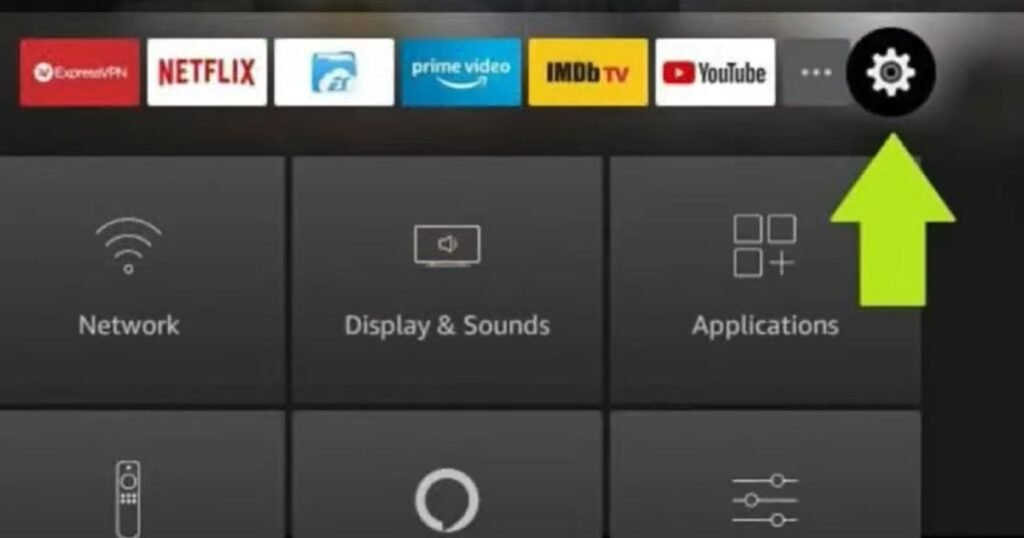
- My Fire TV: Scroll down and select My Fire TV (on some versions, this may be labeled “Device & Software”.
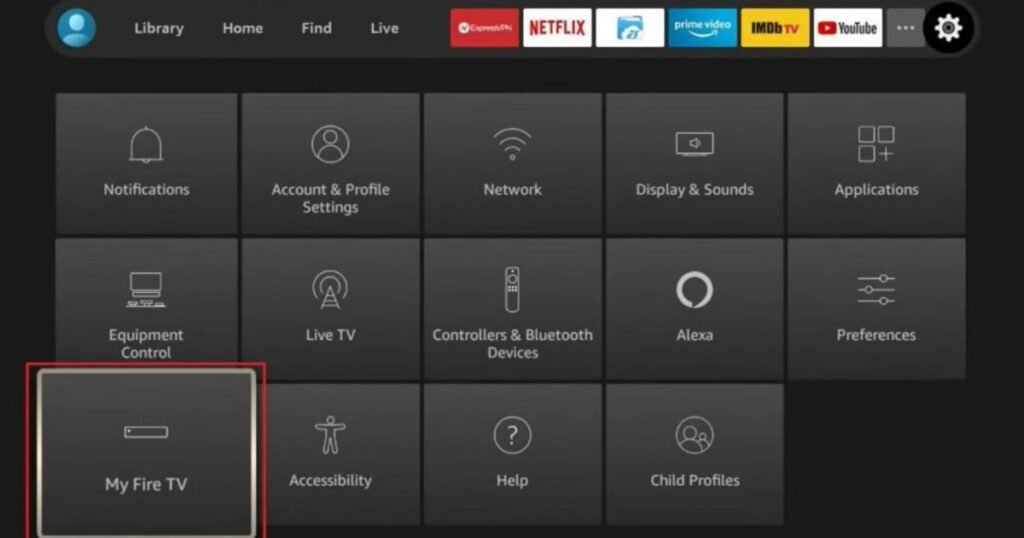
- Developer Options: Click on Developer Options.
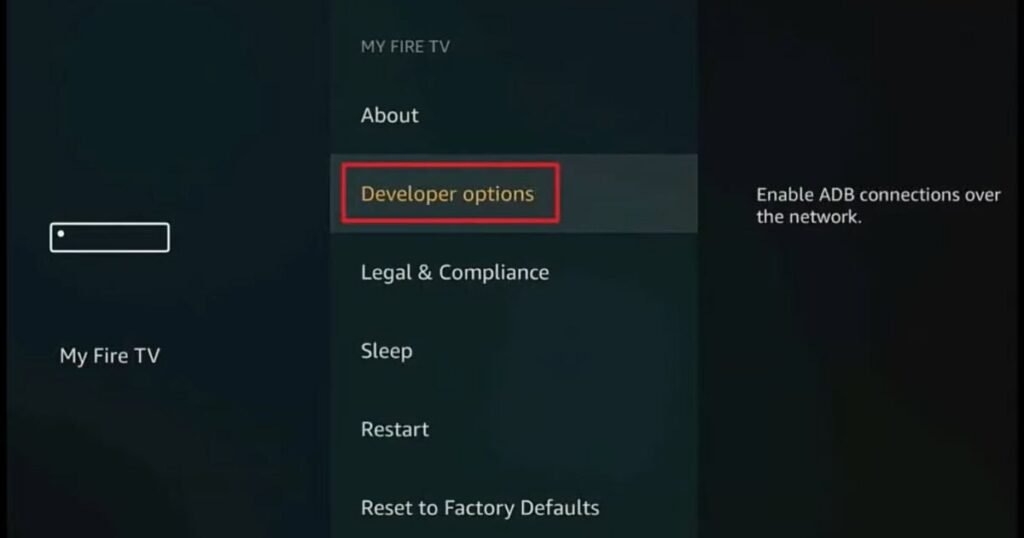
- Note: If you don’t see this, go to “About” and click your Fire TV Stick name 7 times to unlock it.
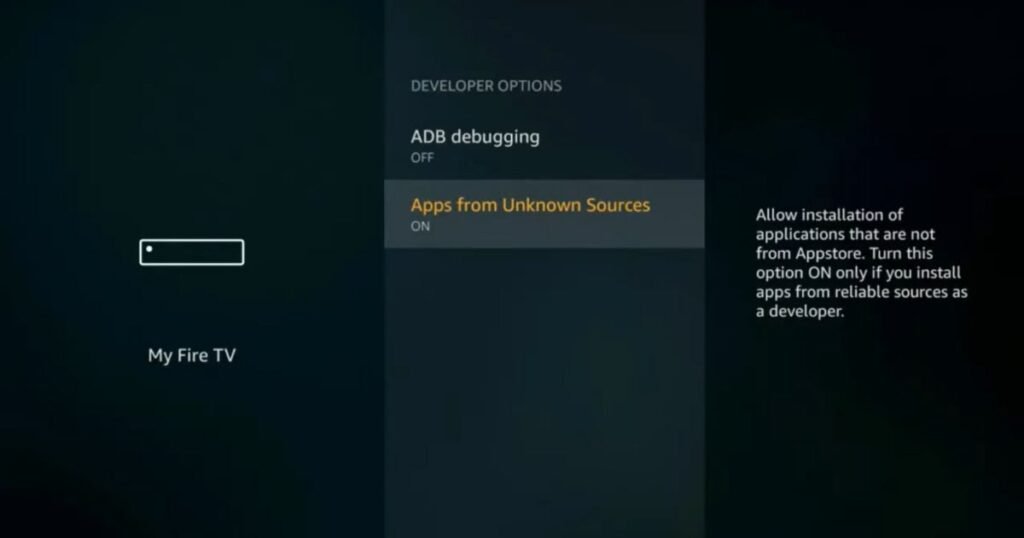
- Unknown Sources: Toggle Apps from Unknown Sources to ON. This is a critical step to allow the APK installation.
Phase 2: Installing the Downloader Tool
Since the Apollo Group TV app is a specialized streaming tool, we use the “Downloader” app to fetch it.
- Search: Go back to the Home Screen and click the Search/Find icon.
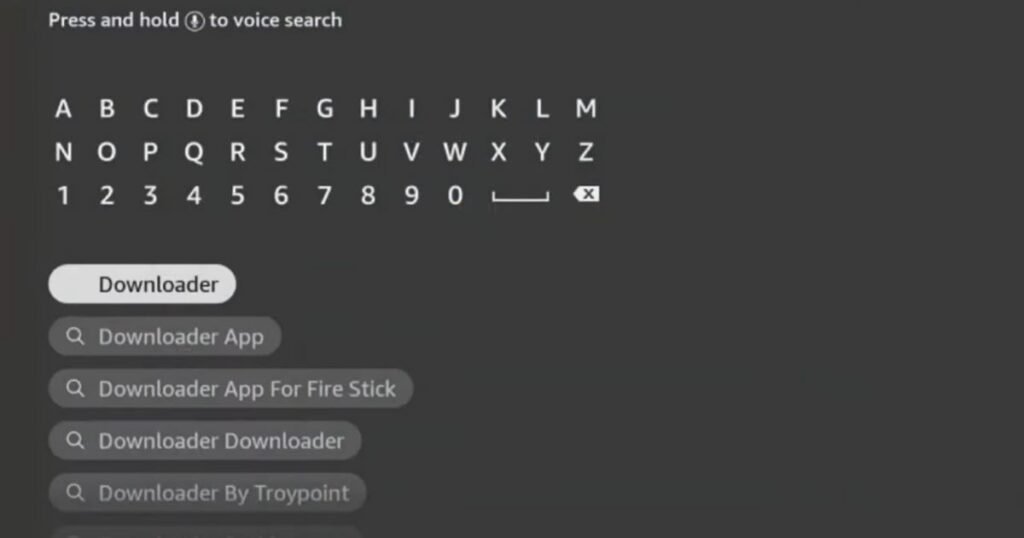
- Type Downloader: Type “Downloader” into the search bar.
- Get/Download: Select the orange Downloader icon and click Download or Get to install it.
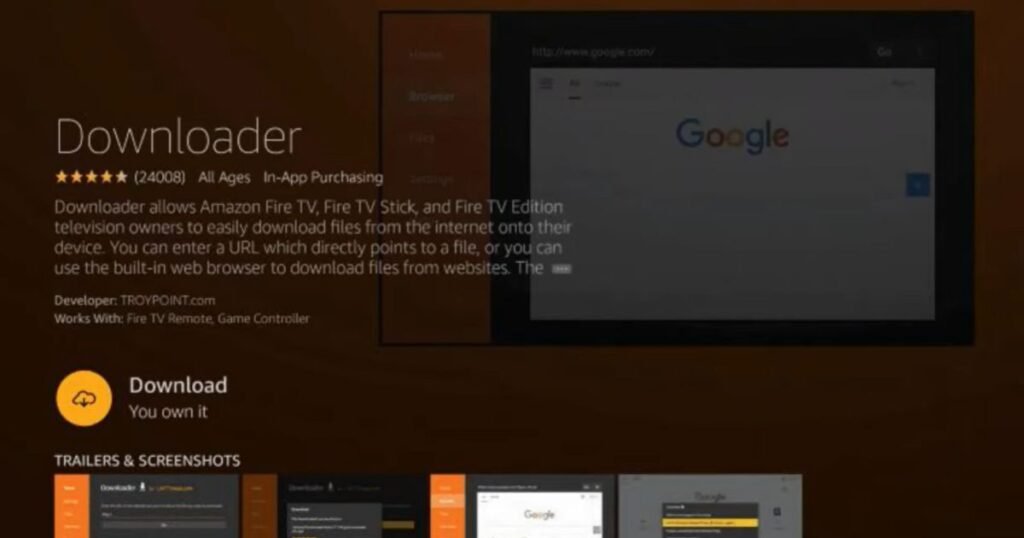
- Open: Once installed, launch the Downloader app and click “Allow” on any permission prompts.
Phase 3: Sideloading the Apollo Group TV APK
Now we will point the Downloader app to our official servers to grab the latest version of the app.
- Enter URL: In the URL field of the Downloader app, you will need to enter the specific APK link provided on our official website.
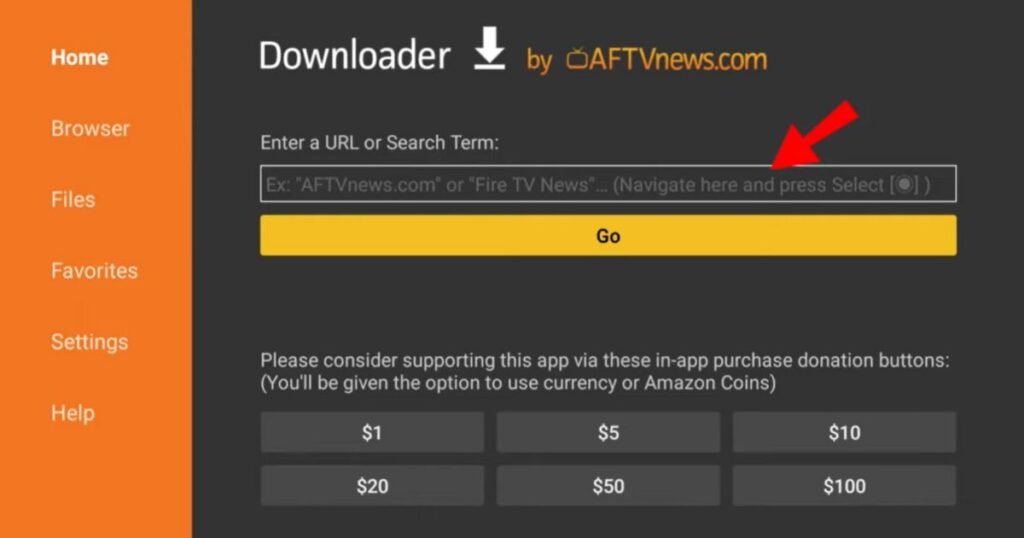
- Download: Click Go. The file will begin downloading to your Firestick.
- Install: Once the download reaches 100%, an installation prompt will appear automatically. Click Install in the bottom right corner.
- Finalize: After the “App Installed” message appears, you can click “Done” to delete the APK file (to save space) or click Open to launch the service immediately.
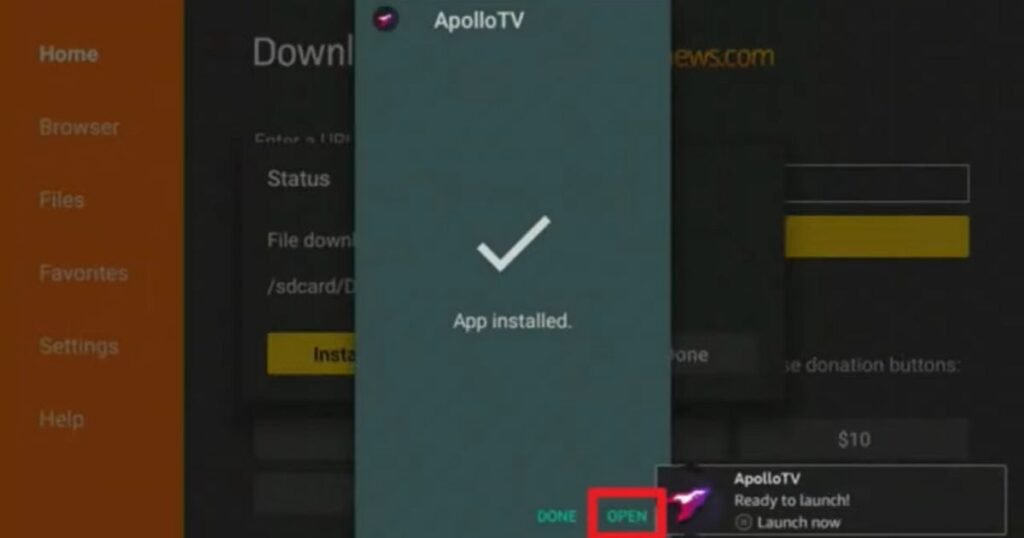
Phase 4: Launching and Logging In
- Find Your App: You can now find the Apollo TV icon in your “Your Apps & Channels” section.
- Credentials: Enter the login credentials sent to your email after your purchase from apollogrouptvs.tech.
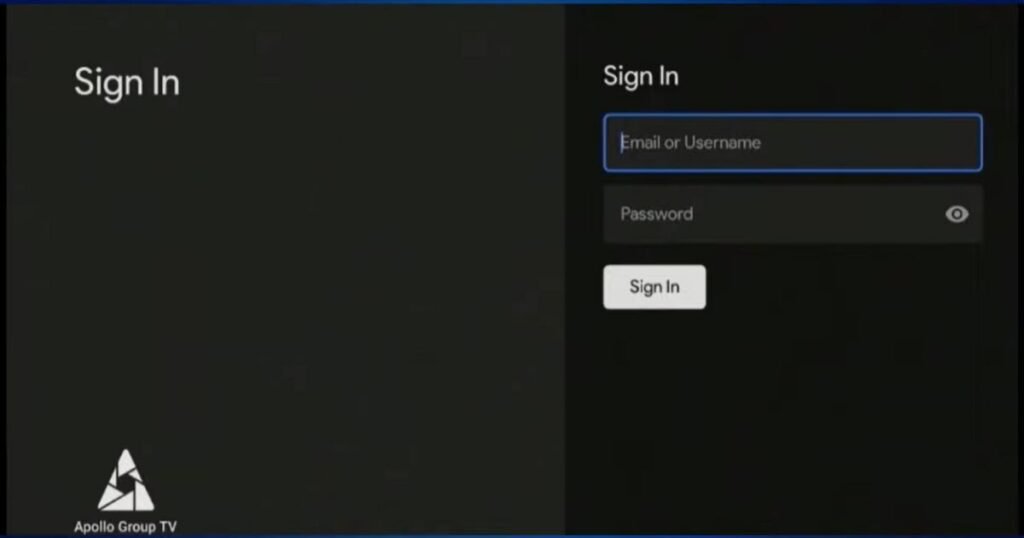
- Stream: Once logged in, the EPG (Electronic Program Guide) will load, and you are ready to enjoy the best IPTV experience available in 2026!
Why Apollo Group TV is the #1 Choice for US Users
When you choose Apollo Group TV, you are investing in a service that prioritizes stability and content variety.
- Massive Library: Over 20,000 live channels and 90,000+ VOD options.
- Anti-Buffering Tech: We use NVMe SSD-powered servers to ensure your sports games never freeze during the final play.
- 24/7 Support: Our team is available via WhatsApp and Email around the clock to assist you with setup or troubleshooting.
- Multi-Device Support: While this guide focuses on Firestick, our service works perfectly on Android Boxes, Smart TVs (Samsung/LG), iOS, and Mag Boxes.
Elevate Your Viewing Experience
Learning how to Install Apollo Group TV On Firestick is the first step toward total entertainment freedom. By following the semantic steps outlined above, you have bypassed the frustrations of traditional cable and entered the world of high-quality Apollo IPTV. Our commitment to excellence has made us the #1 official website for Apollo services, and we continue to update our infrastructure to provide the best service in 2026 and beyond.
Frequently Asked Questions (FAQs)
1. Is Apollo Group TV compatible with all Firestick versions?
Yes, our app works on Firestick Lite, Fire TV Stick 4K, 4K Max, and the Fire TV Cube.
2. Why am I getting a “File Not Found” error in Downloader?
Ensure you are typing the URL exactly as shown on our installation page. Check for typos or extra spaces. If the issue persists, contact our 24/7 support.
3. Do I need a VPN to use Apollo IPTV?
While our service is highly secure and encrypted, we always recommend using a VPN to ensure your ISP does not throttle your streaming speeds.
4. How do I get my login credentials?
Your credentials are sent instantly to your registered email address as soon as your payment is confirmed on our website.
5. What if I need help during the installation?
We are here for you! You can contact us via WhatsApp or Email directly through our website. Our support team is available 24 hours a day to resolve any issues.
Ready to start your journey? Visit the Apollo Group TV Official Website today to grab your subscription. Don’t forget, we offer a 30-day money-back guarantee and a Free Trial so you can test the quality for yourself!
- Website: https://apollogrouptvs.tech/
- Support: Available 24/7 via Live Chat and WhatsApp.


